More sites, scattered status
Multi-site teams switch between a dozen admin panels and track stale categories, stuck articles, and lagging sites by hand.
PrioritiesBulk setup, category inventory, concurrent generation, schedules, retries
AI Publish by YunAISEO
For SEO agencies, multi-site operators, and enterprise content teams: manage sites, categories, titles, AI settings, publishing jobs, and results in one place. Works with 18 CMS platforms; tasks are traceable, recoverable, and retry-safe.
Your bottlenecks
When teams juggle many sites, categories, and CMSs, the bottleneck is not writing — it is lost status, repeated work, and no audit trail.
Multi-site teams switch between a dozen admin panels and track stale categories, stuck articles, and lagging sites by hand.
Agencies stitch job scope, templates, pricing, and delivery records from spreadsheets across mixed client CMSs.
Enterprise teams need steady coverage of products and long-tail queries, but manual publishing makes brand, SEO, and cadence rules hard to enforce.
Three steps
Run the full pipeline in three steps: connect existing sites, generate and review with your own AI key, then hand off to scheduled publishing and search submission. Every input, state, and result stays verifiable.
Verify domains one by one or in bulk, read categories from any CMS, and store mappings, language, and timezone — no rebuild needed.
Output: ready sites and categoriesBatch-generate articles from your title inventory with your own AI key; review drafts before publishing, with dedupe and quality gates applied up front.
Output: approved article draftsPublish on category schedules, then auto-submit to Baidu and Bing; one failing channel never blocks the others, and retries never double-publish.
Output: article URLs and submission statusProduct evidence
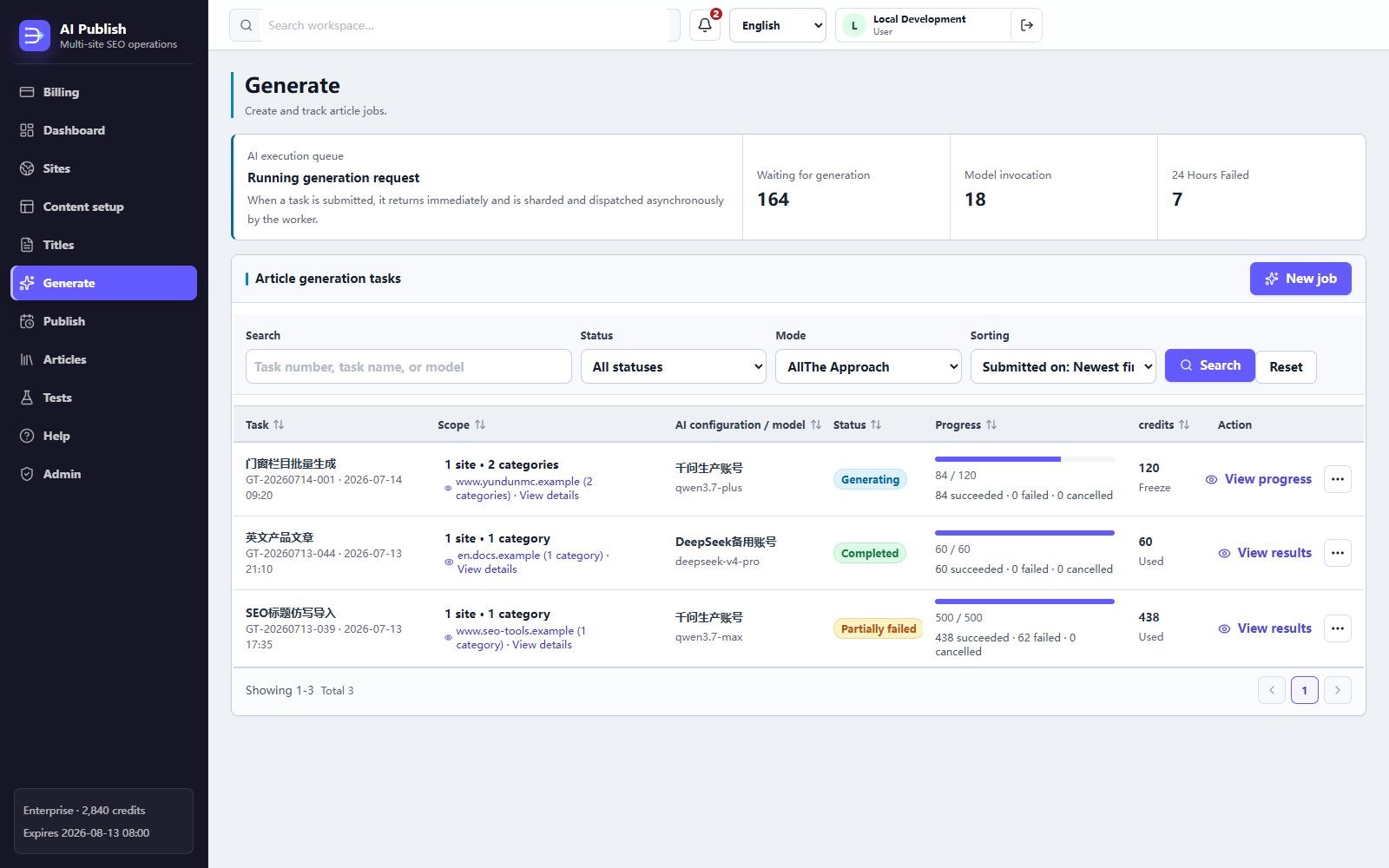
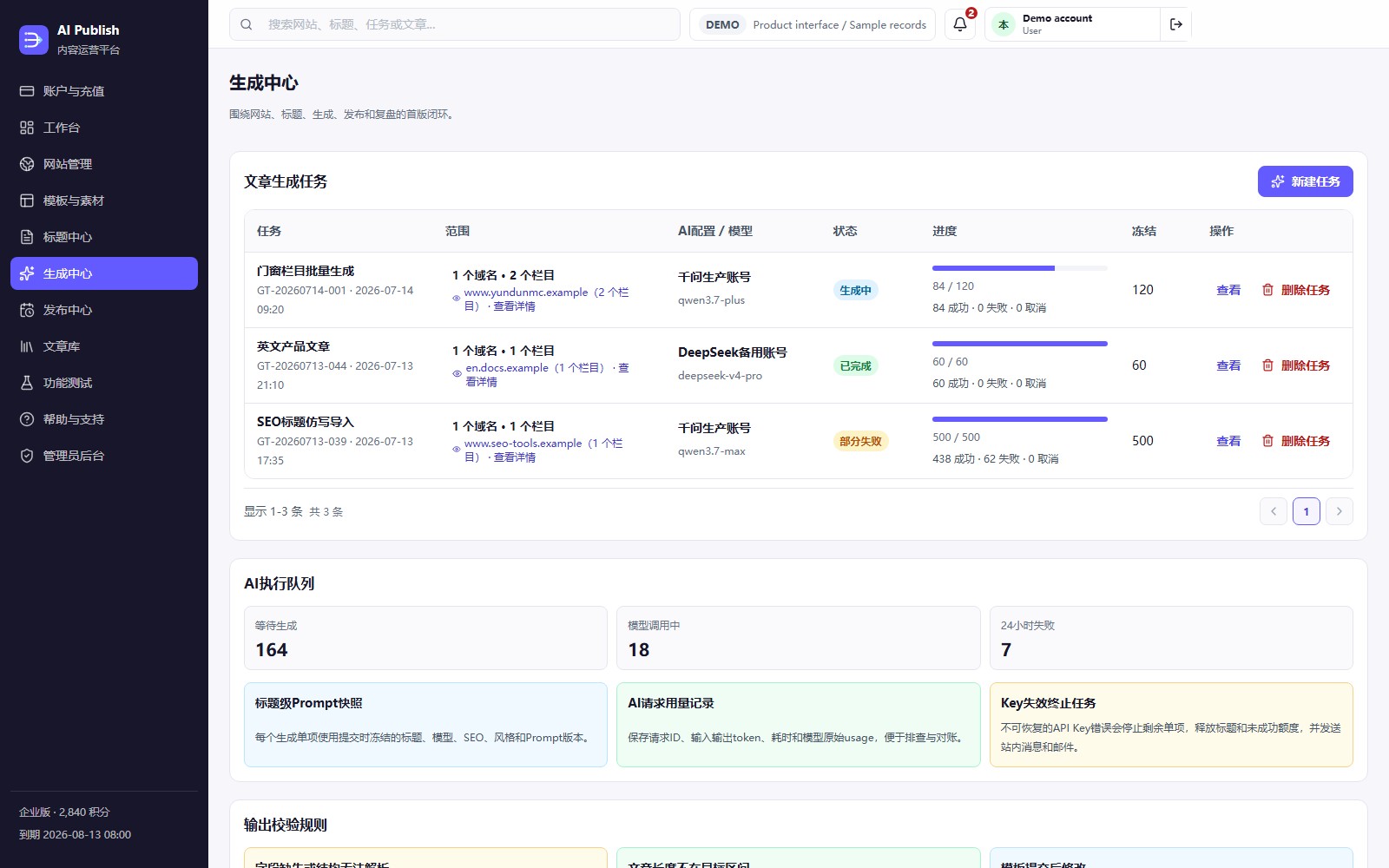
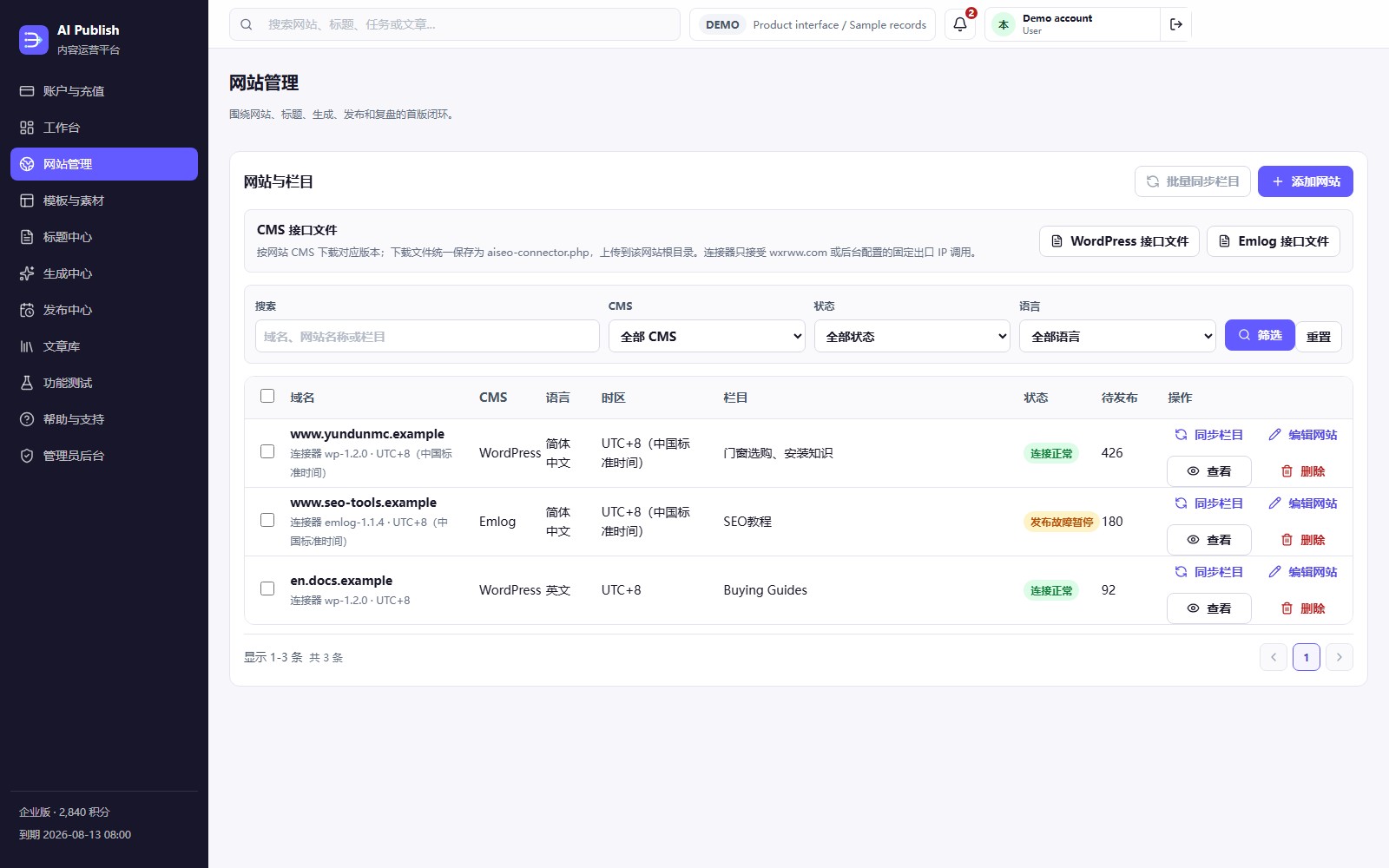
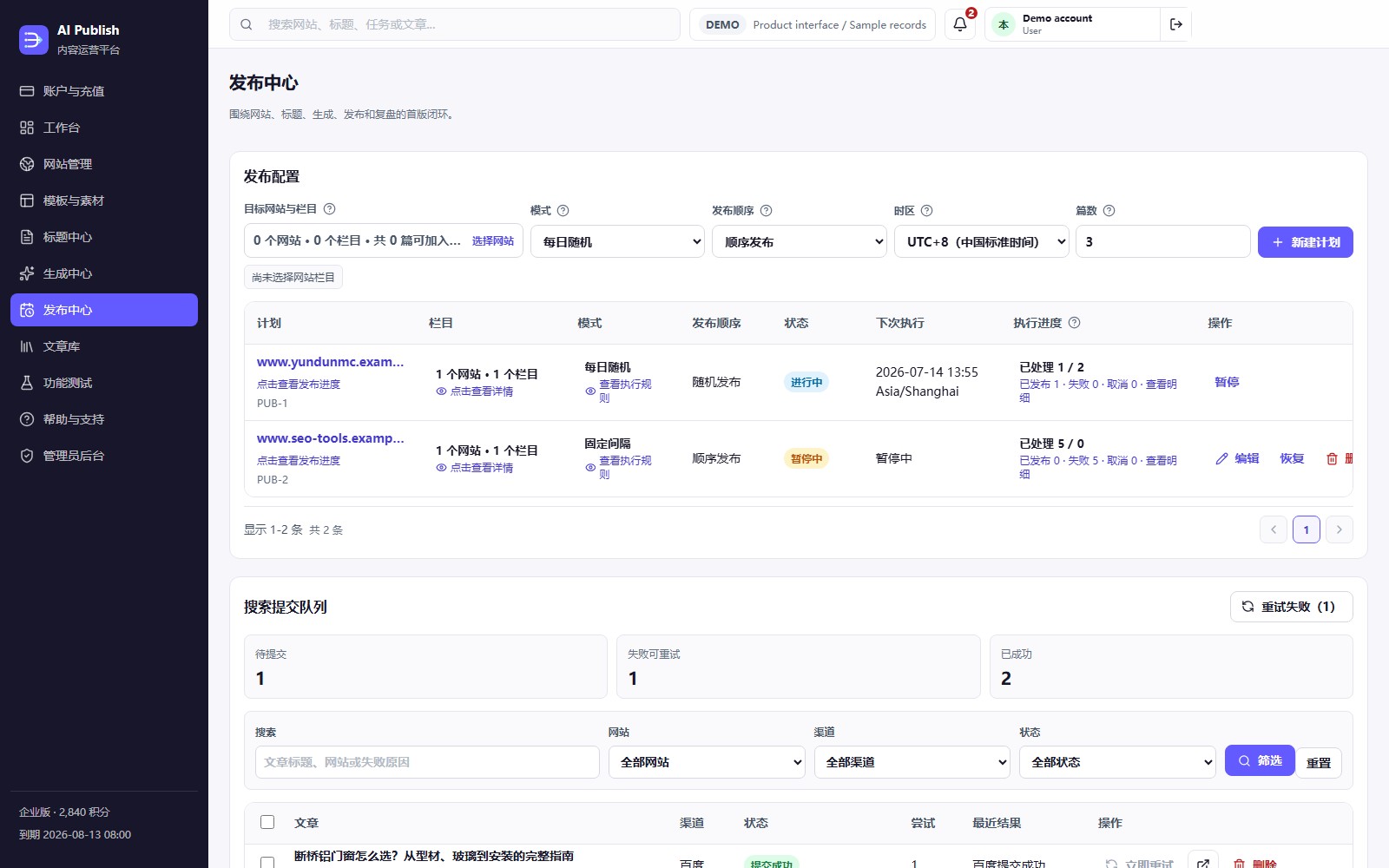
What you see is not an “automation” promise — it is scope, settings, status, progress, failure reasons, and next actions. Click any screenshot to open the full-size image.
18 supported platforms
Self-hosted PHP CMSs connect through a root connector; hosted builders use official APIs. Categories sync on demand and the platform never changes your site structure automatically — both end up as one mapping of sites, categories, articles, and remote links.
Verify ownership, sync categories, publish articles, process images, and return CMS IDs; requests allow only approved platform traffic.
Sync tags, create or update articles, and assign author and content fields.
Sync blogs, publish articles to the selected blog, and preserve remote mappings.
Connect Duda blogs with site IDs and authorization, then return each publishing result.
Connect the Wix app and author, sync categories, and create blog articles.
Verified cases
Every case documents the original workflow, site count, CMS types, scope, time saved, failure recovery, and limits. Ranking gains appear only as supporting evidence — rankings also depend on site authority, competition, and search policies.
How sites, writing, and publishing worked before and after adoption — including what is still handled manually.
Site counts, CMS types, category counts, and article batches; customers may stay anonymous.
Time saved, failure recovery, and job volume — plus the scenarios not covered and the limits that remain.
Security and reliability / activity log
Credits, jobs, publishing, and search submissions are logged separately. If something goes wrong, you can see where it stopped, what was affected, and what to do next. For key protection and data deletion, seeSecurity.
Each task keeps the model, template, target, and price used at submission, so later edits do not change past tasks.
Task progress is saved so work can continue after a short interruption.
Repeated clicks or system retries do not duplicate charges, generation, or publishing; important changes are recorded.
AI, Baidu, and Bing credentials stay encrypted and never appear in user views, admin pages, or standard logs.
Plans and costs
Simplified Chinese shows CNY prices; Traditional Chinese and English show USD prices. New purchases use the selected language price, while paid orders keep their original amount.
| Plan | Monthly | Annual (two months free) | Active sites | Successful articles/month | Concurrent AI tasks | Article overage / article | Active-site overage / month |
|---|---|---|---|---|---|---|---|
| Starter | $19 | $190 | 3 | 150 | 2 | $0.12 | $8 |
| Growth | $59 | $590 | 10 | 800 | 5 | $0.08 | $6 |
| Agency | $179 | $1,790 | 30 | 3,000 | 12 | $0.05 | $5 |
Larger scaleScale and Enterprise plans serve teams running 100–300+ sites with higher quotas and concurrency; view them in the app after signing up, or Contact supportrequest the full price list.
Price book2026-09-v2 CNY prices include tax; USD prices exclude local taxes. The trial fee counts toward your first month if you upgrade within 30 days.
Included amounts reset monthly. Included usage is used first; only successful results above the allowance cost credits. Failed or canceled work and automatic retries do not cost credits.
| Advanced feature / how it is counted | Price above the included amount | Trial | Starter | Growth | Agency |
|---|---|---|---|---|---|
| Site analysis / each successful analysis | 10 points | 1 analysis | 3 analyses | 10 analyses | 30 analyses |
| Content opportunities / each successful batch (up to 100) | 5 points | 1 batch | 3 batches | 20 batches | 100 batches |
| AI title generation or rewrite / each successful title | 1 points | 20 titles | 0 titles | 300 titles | 2,000 titles |
| Content test / each successful test | 3 points | 2 tests | 0 tests | 10 tests | 50 tests |
| Deep SEO check / each successful article | 3 points | 5 articles | 0 articles | 100 articles | 800 articles |
| Smart rewrite or Humanize / each successful article | 5 points | 2 articles | 0 articles | 30 articles | 250 articles |
Use your own AI API key; provider token charges are not included in any platform plan.
Failed and canceled work, plus automatic retries of the same result, are not counted twice. Successful articles use the plan article allowance; advanced features use credits.
When included quota runs out, new paid actions stop by default. To continue, enable overage and set the most you can pay each month.
Credits do not pay plan fees or add to the plan article allowance. Site analysis, title generation, content tests, deep checks, and smart rewrites are charged in credits.
FAQ
Plan limits, third-party costs, and publishing methods are shown before you submit a job.
Root connectors support WordPress, Emlog, PbootCMS, Typecho, Z-BlogPHP, DedeCMS, EmpireCMS, PHPCMS V9, Joomla, Drupal, MODX, ProcessWire, MetInfo, and DESTOON; official APIs support Ghost, Shopify, Duda, and Wix.
No. Upload a connector to self-hosted PHP CMSs or authorize the hosted platform API; AI Publish keeps your theme and frontend unchanged.
You provide the AI provider key, and the provider bills model usage directly; platform plans cover operations and capacity.
Core site, opportunity, title, generation, publishing, and search workflows remain available. Plans differ by active sites, successful articles, AI concurrency, and included advanced-feature quotas; published overage rates apply above them.
Each plan uses its included site analyses, opportunity batches, AI titles, content tests, deep SEO checks, and smart rewrites first. Credits are charged only for successful results above those allowances; failed, canceled, and automatic retry results are not charged.
No. Expiry makes data read-only and stops new jobs and automatic publishing; renew within 30 days before retention rules may remove data.
The platform recognizes the same task and result, so normal retries do not generate, publish, or charge twice.
Yes. After CMS publishing, AI Publish can submit to Baidu and Bing asynchronously; submission stays separate and never guarantees indexing or ranking.
No. The connector tries remote or local images in order; if all fail, it publishes the article and records a warning.

Start your workflow
Verify the site, sync categories, import a title, generate an article, and publish with every key state tracked.